
Guide
Detailed Guide
A closer look at LyRuno's two screens: what each area of the upload and processing pages does, practical notes on GPU acceleration and the startup network check, and what the Pro version adds over the free one.
2 min read379 words
A detailed look at LyRuno: page layout, features, usage notes, and software versions.
LyRuno Upload Page Introduction

Introduction to LyRuno Processing Page

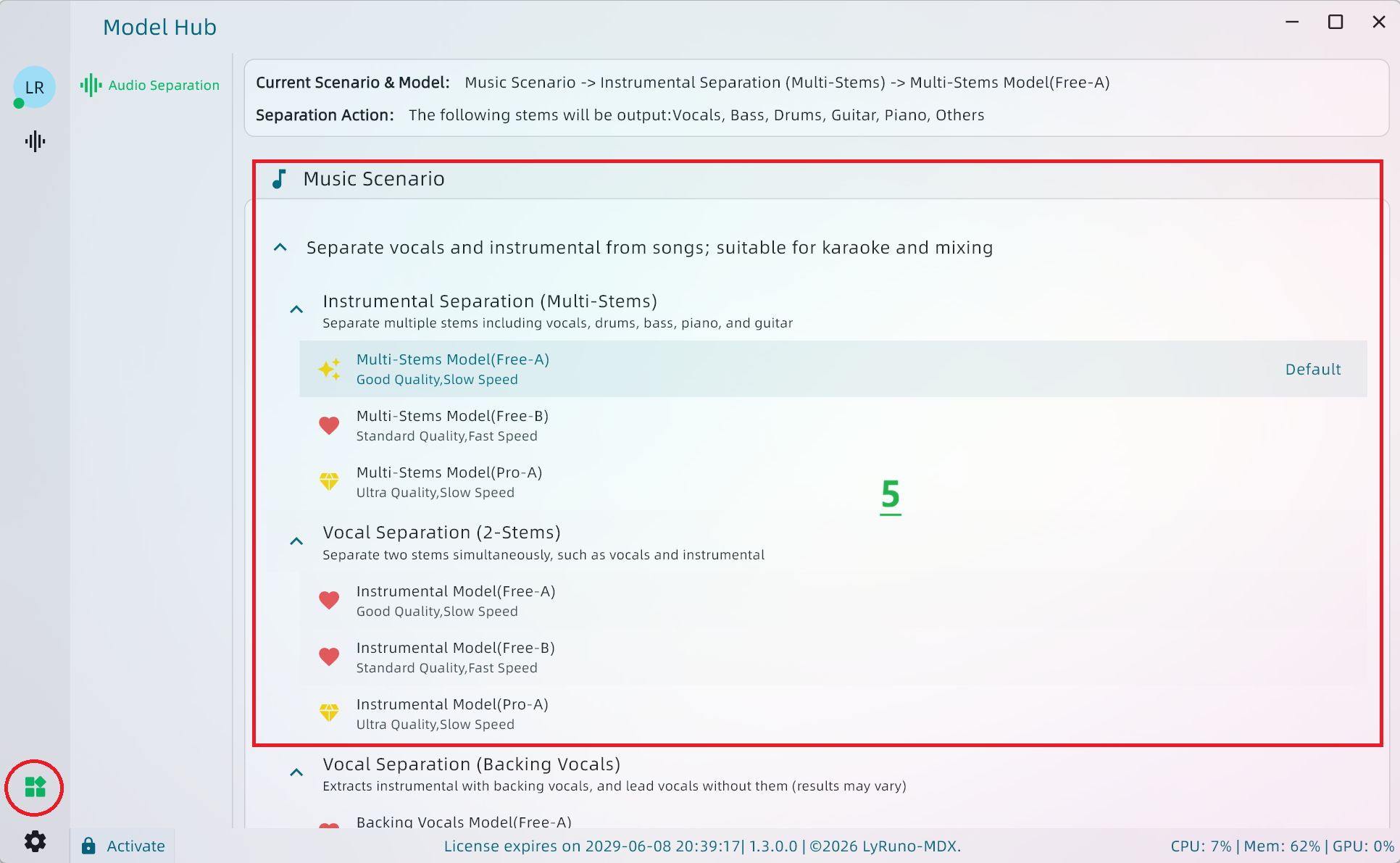
- Area ① is the operation button, which can add, delete, process, and cancel processing audio and video files.
- Area ② is the main audio and video list area, displaying basic information about audio and video files, processing progress, processing time, etc.
- The area ③ is the operation button area, including functions such as audio and video trimming, processing, and deletion, etc.
- Area ④ is an audio player with basic audio file playback functionality.
- Area ⑤ is used for configuring usage scenarios, models, and stems.
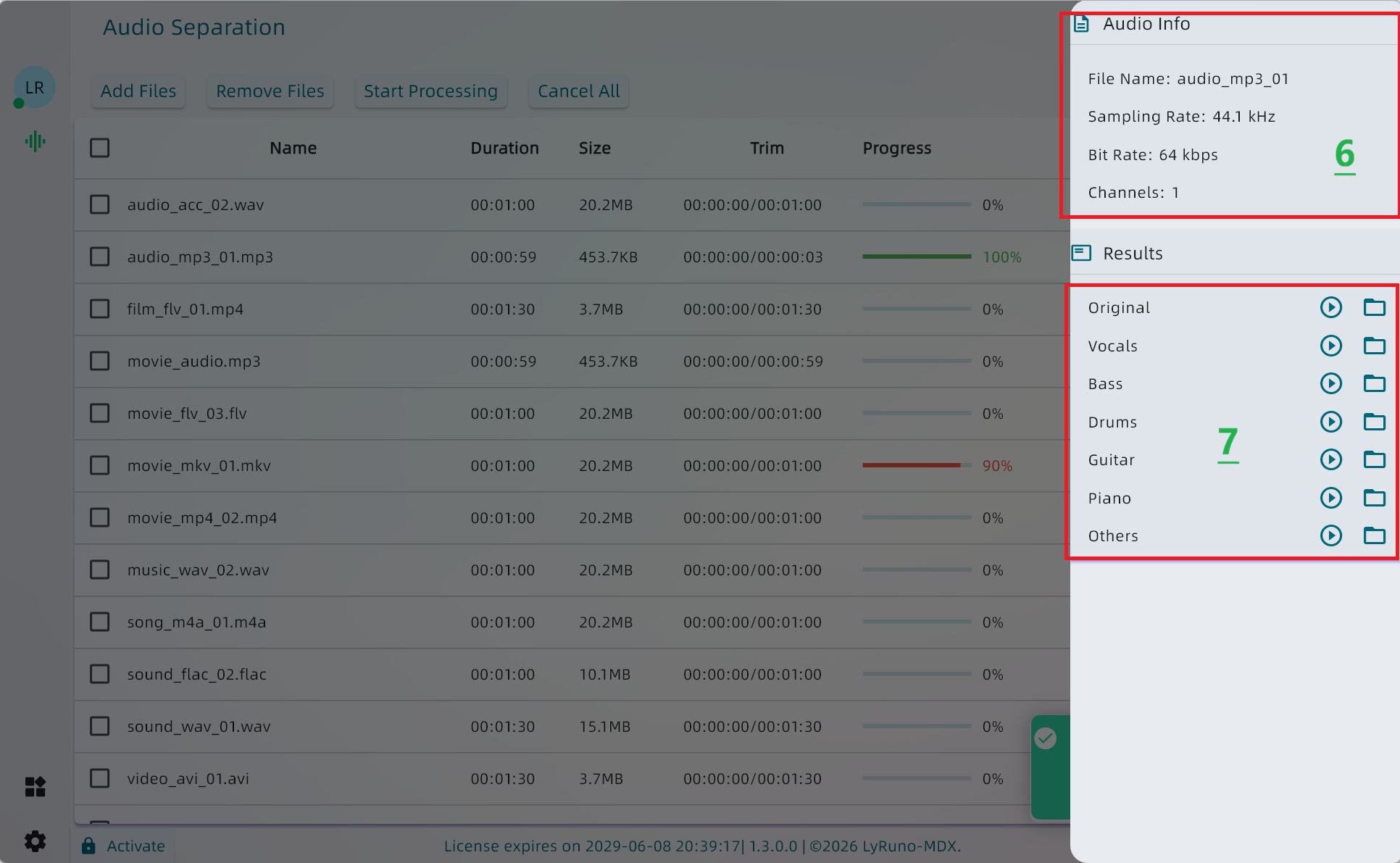
- Area ⑥ is the audio and video information display area.
- Area ⑦ is for buttons related to the processing result file, including open file location and play audio file functions.
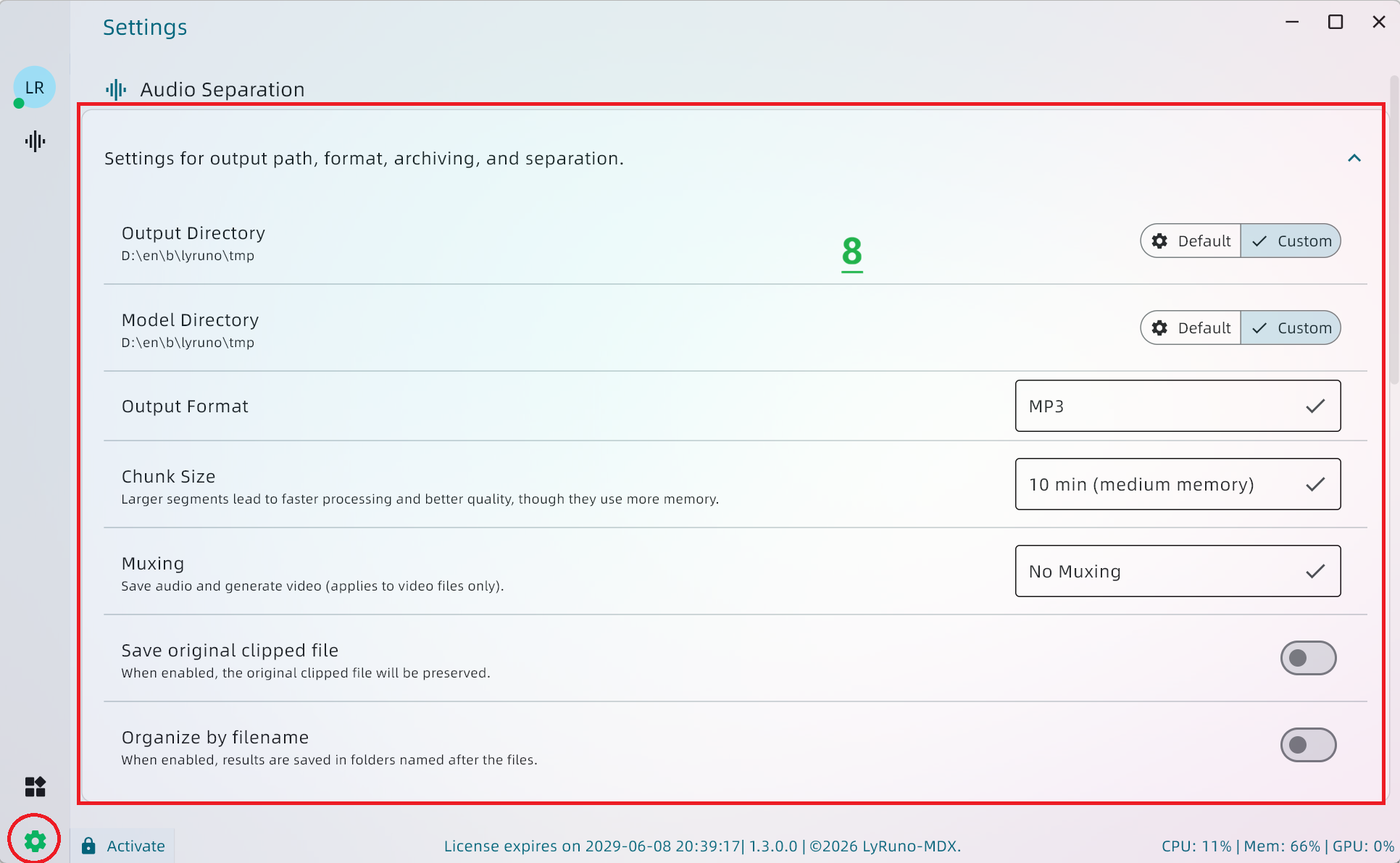
- Area ⑧ is for processing settings, such as setting the output audio format, output audio location, audio and video segment size, and whether to enable
GPU.
LyRuno Usage Precautions
- The audio being processed cannot be removed.
- You can click the Cancel All button to cancel the ongoing tasks.
- At startup, the program performs an online availability check. If you encounter prompts related to network issues, please check your network environment and restart the software or contact customer service ( Note: During peak hours in the evening, if network-related issues occur, you can try restarting after a few minutes, generally 2-3 attempts are sufficient)
- If you cannot use
GPUacceleration and only useCPU, the processing will be relatively slow - The
GPUacceleration feature only supportsNVIDIAseries graphics cards (M250and above), and does not supportAMDgraphics cards. - The
GPUacceleration feature requires the local installation of theCUDAdriver (usually, it is installed with theNvidiacontrol panel). IfCUDAis not available, you can click here to download and install it.
LyRuno Professional Version
- Try the free version first — upgrade to the Professional version if you're satisfied.
- The professional version can save result files in various formats, such as
WAV,FLAC,MP3. - More Pro features are on the way...
- Click the link to purchase the professional version.
Quickstart
Your first separation in three steps: import audio or video files, pick a separation scenario and start processing, then play the results or open their location.
Backup
Backup download options when the main site is unavailable: get the LyRuno packages from Google Drive or Mega.
Last updated: Nov 3, 2026