
Guide
Quickstart
Your first separation in three steps: import audio or video files, pick a separation scenario and start processing, then play the results or open their location.
1 min read117 words
LyRuno is very user-friendly, allowing you to separate audio and video tracks in just three easy steps. Let’s get started!
Upload audio and video files to be processed.
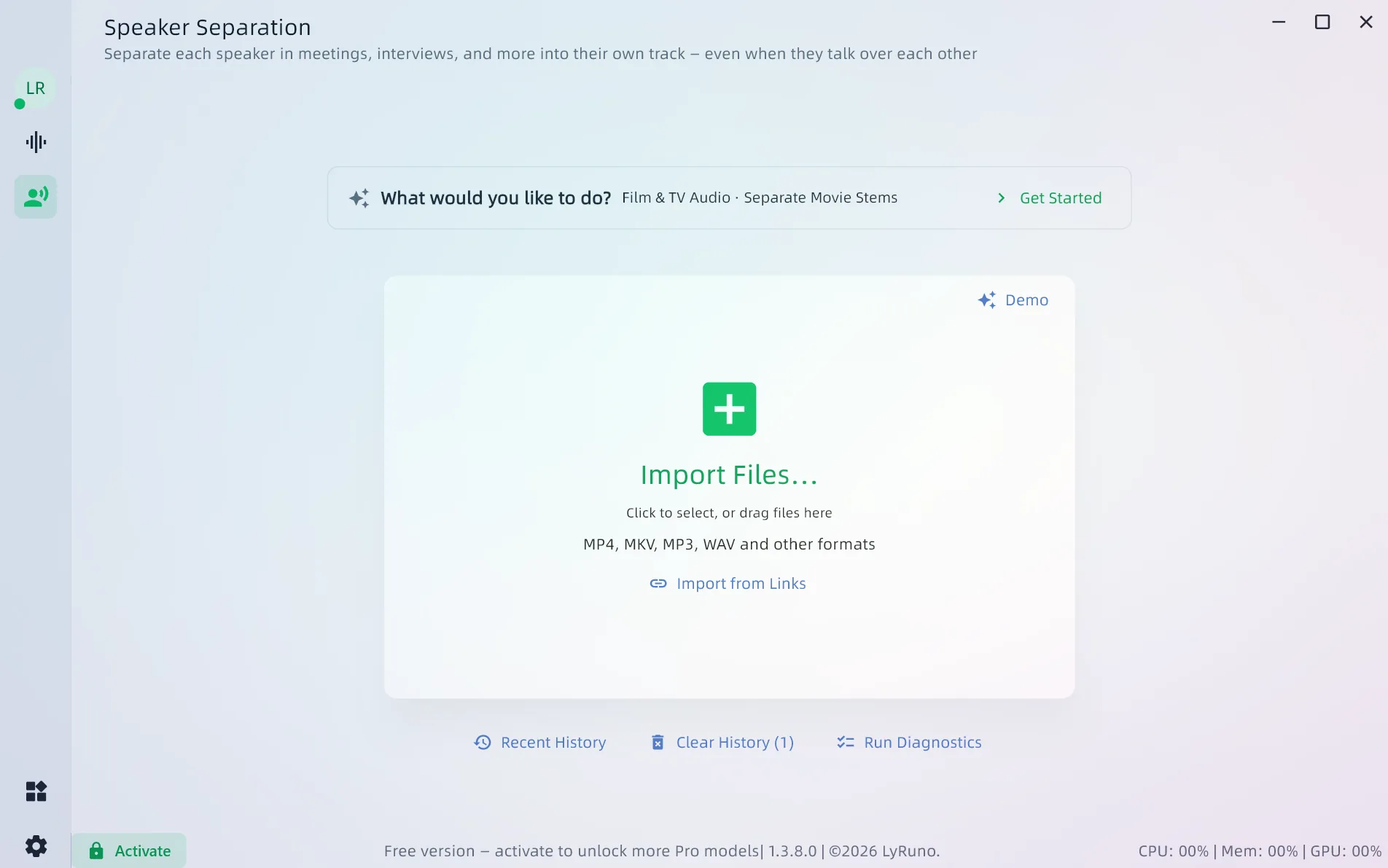
- Single file upload
- Batch upload
- Supports a wide range of video formats
- Supports a wide range of audio formats
Processing audio and video
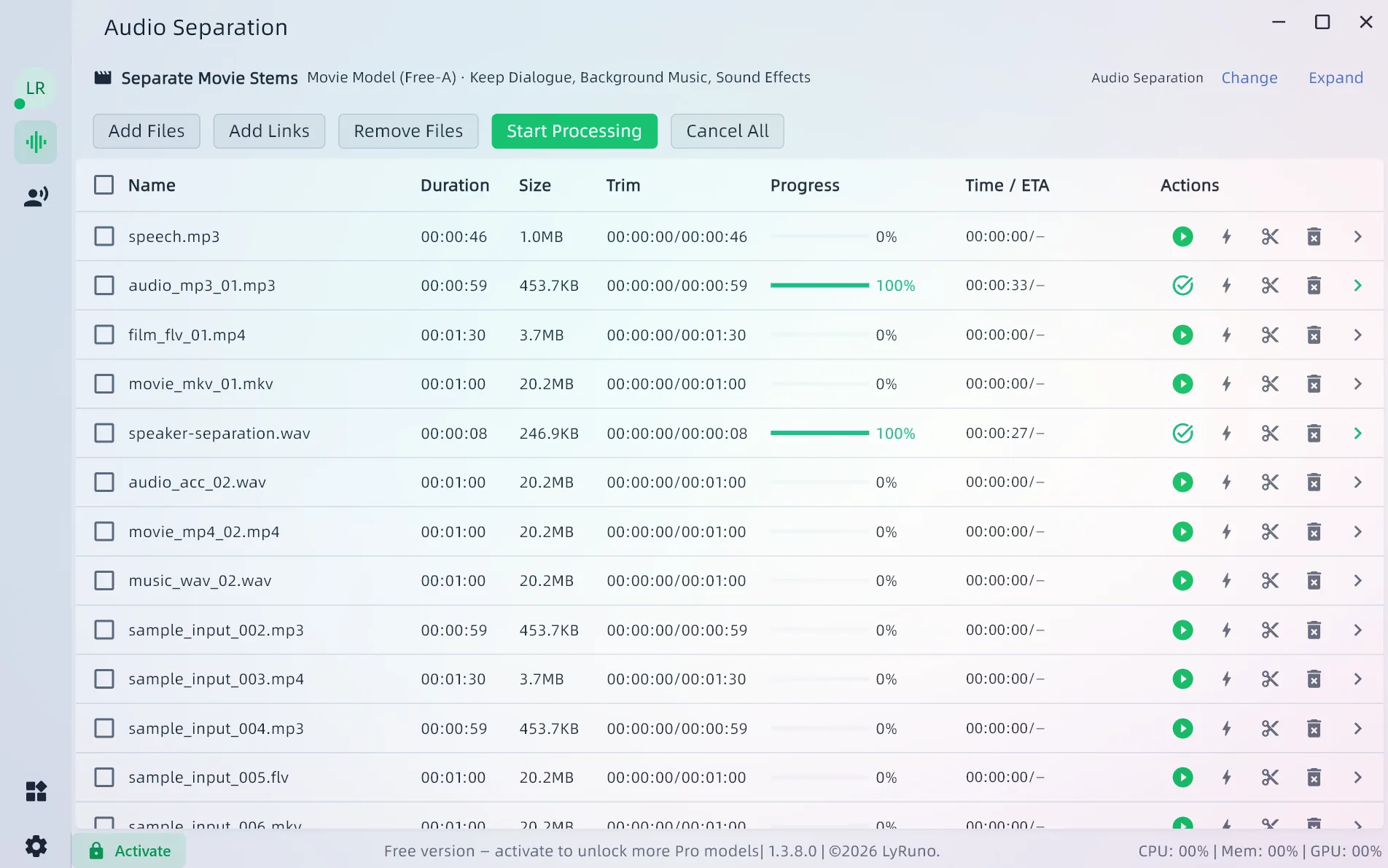
- You can directly process a single file.
- You can also choose batch processing.
- You can customize the range of audio and video processing through the cutting function.
Check the processing results
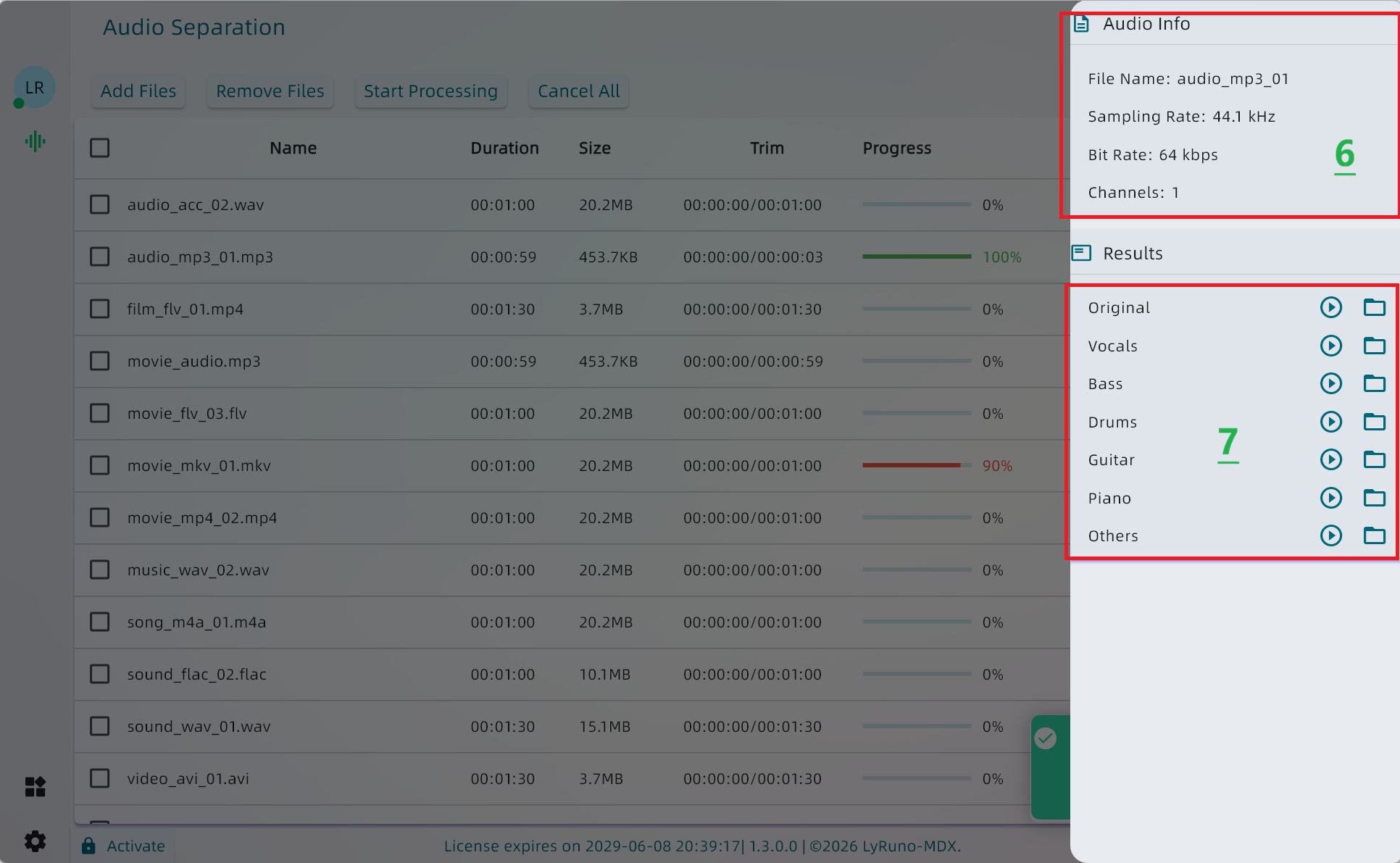
- In the Processing Results area, you can open the file location.
- In the Processing Results area, you can play audio files.
Download & Install
How to install LyRuno: unpack the Windows archive and run it directly, or drag the macOS app into Applications. Includes fixes for SmartScreen warnings and the “unverified developer” block on macOS.
Detailed Guide
A closer look at LyRuno's two screens: what each area of the upload and processing pages does, practical notes on GPU acceleration and the startup network check, and what the Pro version adds over the free one.
Last updated: Nov 3, 2026