Free and offline — no uploads, no account, no limits on file count, size or lengthDownload

Remove Vocals from Any Song, Video, or Recording

A free AI vocal remover and stem splitter that removes vocals or background music, extracts karaoke instrumentals and clean a cappella, splits songs into separate instrument tracks, and pulls dialogue or per-speaker tracks from video.
Primary action buttonsSee How Vocal Separation Works
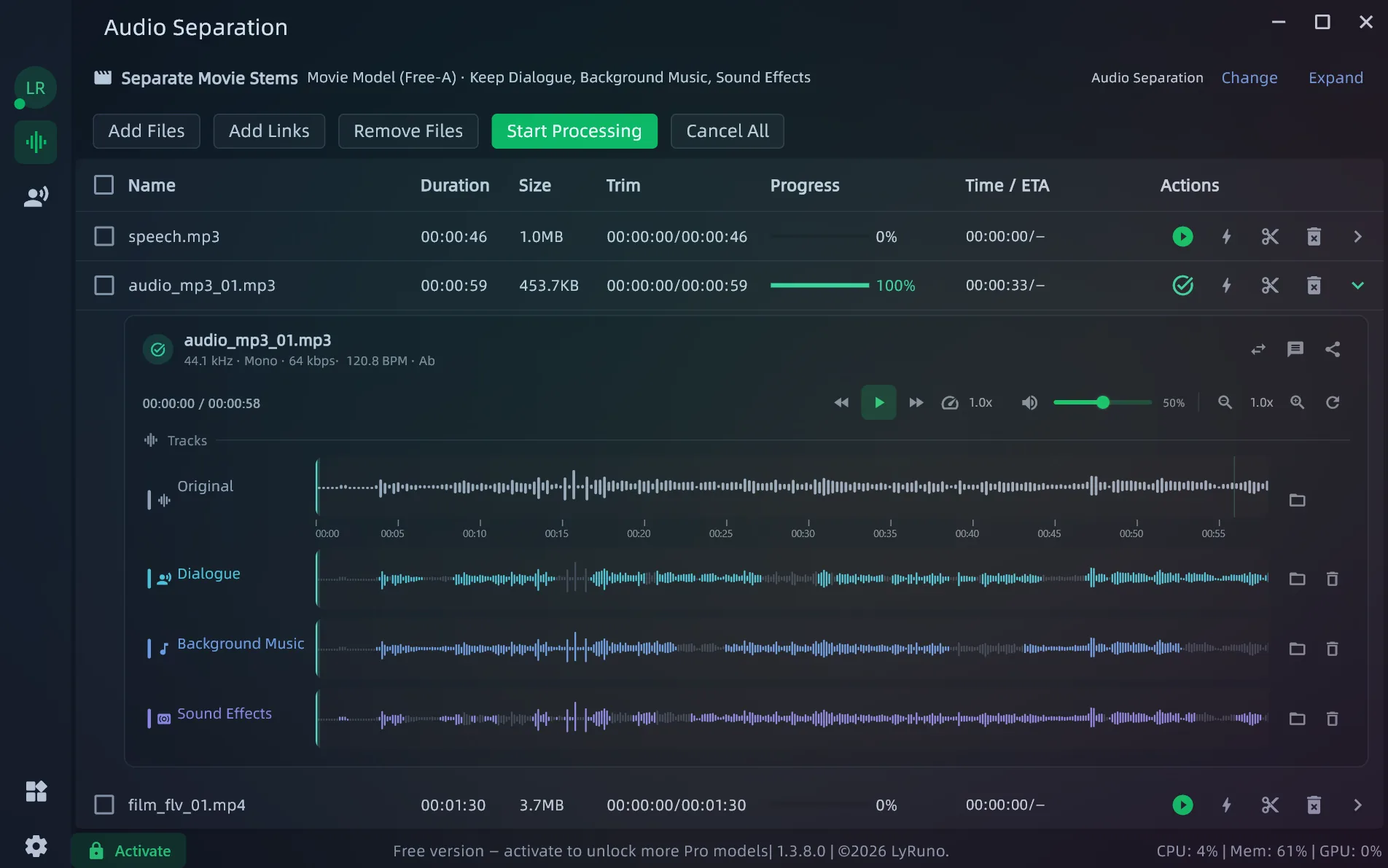
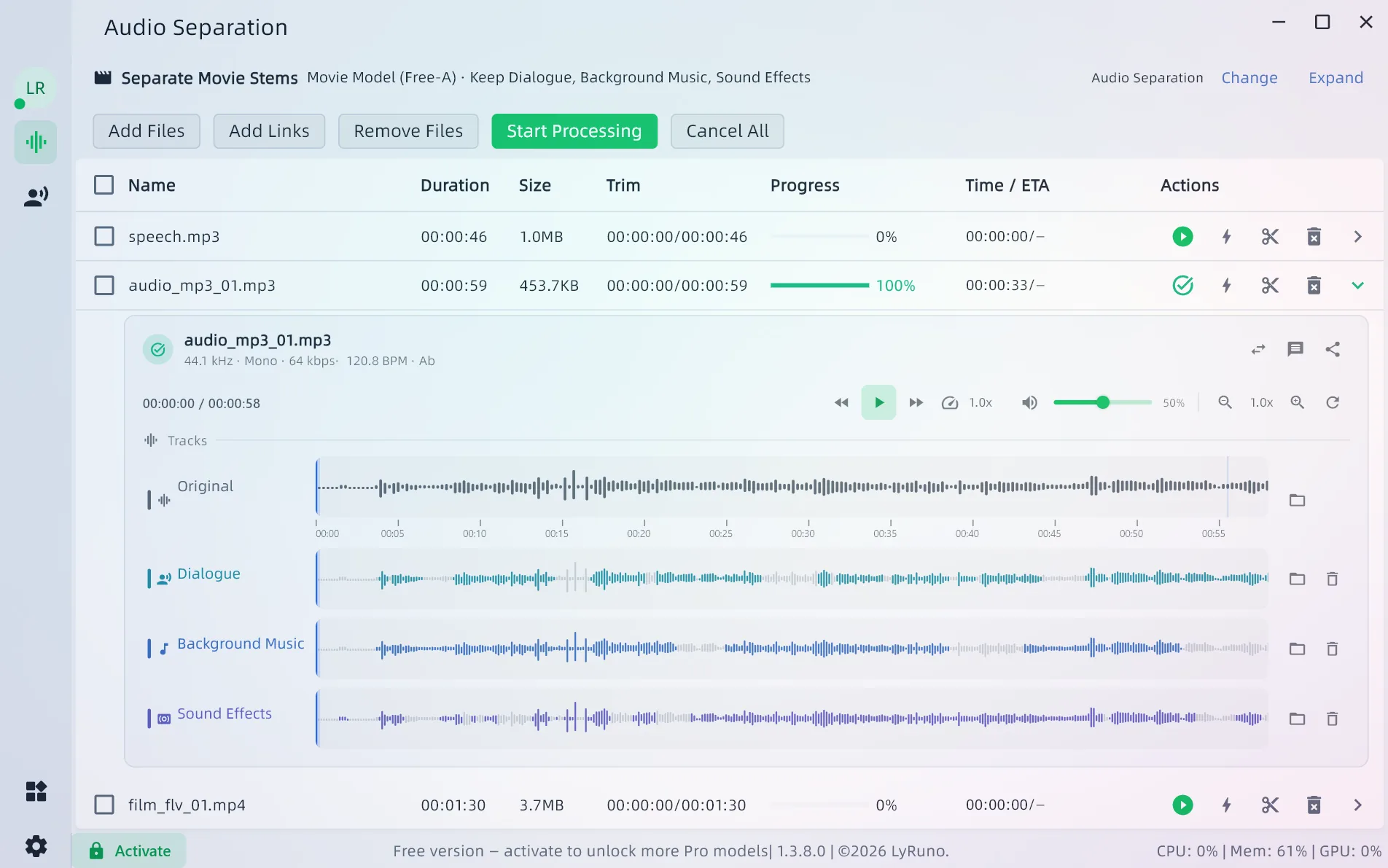
LyRuno interface showing a song separated into vocals, instruments, and dialogue tracks

Hear the Difference

Real results from LyRuno — play the original mix, then switch between the separated tracks.

Overlapping Speakers

Even when several people talk at once, each speaker gets a complete track.

0:00 / 0:00

Core Features: Vocals, Instrumentals, Dialogue & Overlapping Speakers

Advanced stem separation for music, film, and multi-speaker recordings

  • Karaoke Backing That Keeps Harmonies

    Isolate lead vocals while keeping harmonies in the instrumental — ideal for karaoke, cover practice, live performances, or extracting a clean a cappella version.

  • Clean Dialogue From Any Film

    Split film audio into dialogue, music, and sound effects — dialogue stays complete even with singing.

  • Every Voice on Its Own Track

    Get one track per speaker, even during overlapping speech, with optional timelines showing who spoke when.

Every Separation Scenario: Songs, Movies, Karaoke, Meetings

Covers music, film, and multi-speaker recordings — keep or remove any track you like.

  • Karaoke Separation with Harmonies

    Keep harmonies in the instrumental for a karaoke-ready backing track

  • Separate Dialogue and Background Music from Video

    Split film audio into dialogue, background music, and sound effects

  • Split Overlapping Speakers into Separate Tracks

    Get one track per speaker, even during overlapping speech, with optional timelines

  • Vocal & Instrumental Separation

    Split any song into a clean vocal track and an instrumental track

  • Stem Splitter for Guitar, Drums, Bass & Piano

    Split a song into individual tracks: vocals, bass, drums, guitar, piano, and more

  • Clean Speech Extraction

    Extract clear speech from noisy recordings like interviews and lectures

  • Remove Whistles, Applause & Cheers

    Remove whistles, applause, and cheers while keeping the rest of the audio intact

  • Background Noise Removal

    Clean up recordings by removing background noise

  • Reverb Removal

    Reduce room reverb for a tighter, clearer recording

Why LyRuno?

Free, fully offline, and private — no limits on local files, plus batch processing and importing from links.

  • Free Forever

    Download and start separating right away. Core features are free forever.

  • No Limits on Local Files

    Import as many local files as you want — any size, any duration

  • Fully Local & Private

    All processing runs offline on your computer — files are never uploaded

  • Batch Processing

    Queue hundreds or thousands of files, start them all with one click, and retry any that fail

  • Batch Link Import

    Paste links from YouTube and other platforms to import content in bulk, then start separating right away

  • Direct Video Processing

    Import videos directly — the audio is extracted automatically, and you can merge tracks back into the original video.

Your Tracks in a Few Simple Steps

Precise, AI-powered audio separation

1. Pick a Scenario

  • Covers vocal and instrumental separation, individual instrument tracks, karaoke with harmonies, film audio, clean speech, overlapping speakers, and more
  • Built-in previews let you hear the difference instantly
  • Preview a short clip first to check quality, then process the full file

2. Import Files

  • Import audio and video — MP3, WAV, FLAC, MP4, MKV, WEBM, and more
  • Select files, drag and drop, or paste multiple links from YouTube, SoundCloud, Vimeo, TikTok, X, and more
  • Built-in samples let you try the full workflow with one click

3. Get Your Tracks

  • Process single files or entire batches, with your choice of output format
  • Preview results right away in the built-in player
  • Merge the tracks you need back into the original video for an instrumental-only or vocals-only version

Fits Right Into Your Audio Workflow

ableton
avid_protools
bitwig
studio_one
reason
logic_pro
garage_band
cubase
flstudio
ableton
avid_protools
bitwig
studio_one
reason
logic_pro
garage_band
cubase
flstudio
ableton
avid_protools
bitwig
studio_one
reason
logic_pro
garage_band
cubase
flstudio
ableton
avid_protools
bitwig
studio_one
reason
logic_pro
garage_band
cubase
flstudio

Choose Your Plan

Professional AI-powered audio separation — completely private

Free
Core features, free forever
Free

  • Extract or remove vocals, music, and sound effects from any video
  • Separate vocals and instrumentals from any song
  • Isolate bass, drums, piano, guitar, and other instruments
  • Remove whistles, applause, and other noise for cleaner vocals
  • Noise reduction and reverb removal for clear audio
  • Choose from multiple high-quality AI separation models
  • No limits on file count, size, or duration
  • Batch processing — queue thousands of files in one go
  • Fully offline processing keeps your files private
Most Popular
Pro
Unlock better results and advanced features with an activation code
$19/month

  • One-time payment — no auto-renewal
  • Everything in the Free plan
  • Advanced harmony model — keep harmonies intact in your instrumentals
  • Pro vocal model — extract higher-quality vocals
  • Pro instrumental model — extract higher-quality backing tracks
  • Pro dialogue model — extract clearer dialogue from film audio
  • Separate up to 5 speakers talking at the same time (Free: up to 3)
  • Access to additional professional separation models

Vocal Separation FAQs

Common questions about vocal separation, instrumental extraction, and background music removal

Download LyRuno and Separate Your First Track for Free

Turn any song or video into the tracks you need — right on your computer, completely free.

Free Forever
Local Processing
No Uploads
No Local File Limits
Batch Processing